See who can
get you in.
A private personal CRM for Mac. It reads your email, calendar and messages on your device and shows who you know at a company, in a city or in your next meeting, and how you know them.
Mac first. Free to use locally.
Read-only. No manual data entry.
An illustrated tour with fictional people. A crowd is connected to the apps where you talk with them: Gmail, Google Calendar, iMessage, WhatsApp, LinkedIn, Granola, Google Contacts, Apple Contacts. Their messages, meetings and contacts flow into Tapestry on your device, which organizes everyone you know and shows who you know, with sourced clues. Three examples:
- Find a way in — searching “Quayside Ventures” shows Priya Raman. Sources: WhatsApp (Personal), Priya: “Nadia is building a shortlist of design partners. Want me to put you two in touch?”; iMessage (Work), Priya: “Drinks on the Quayside roof tonight if you're free. Lucia is hosting.”; iMessage (Work), Priya: “Great. I'll loop in Lucia on the first one.”. Skip the cold email. You already know them.
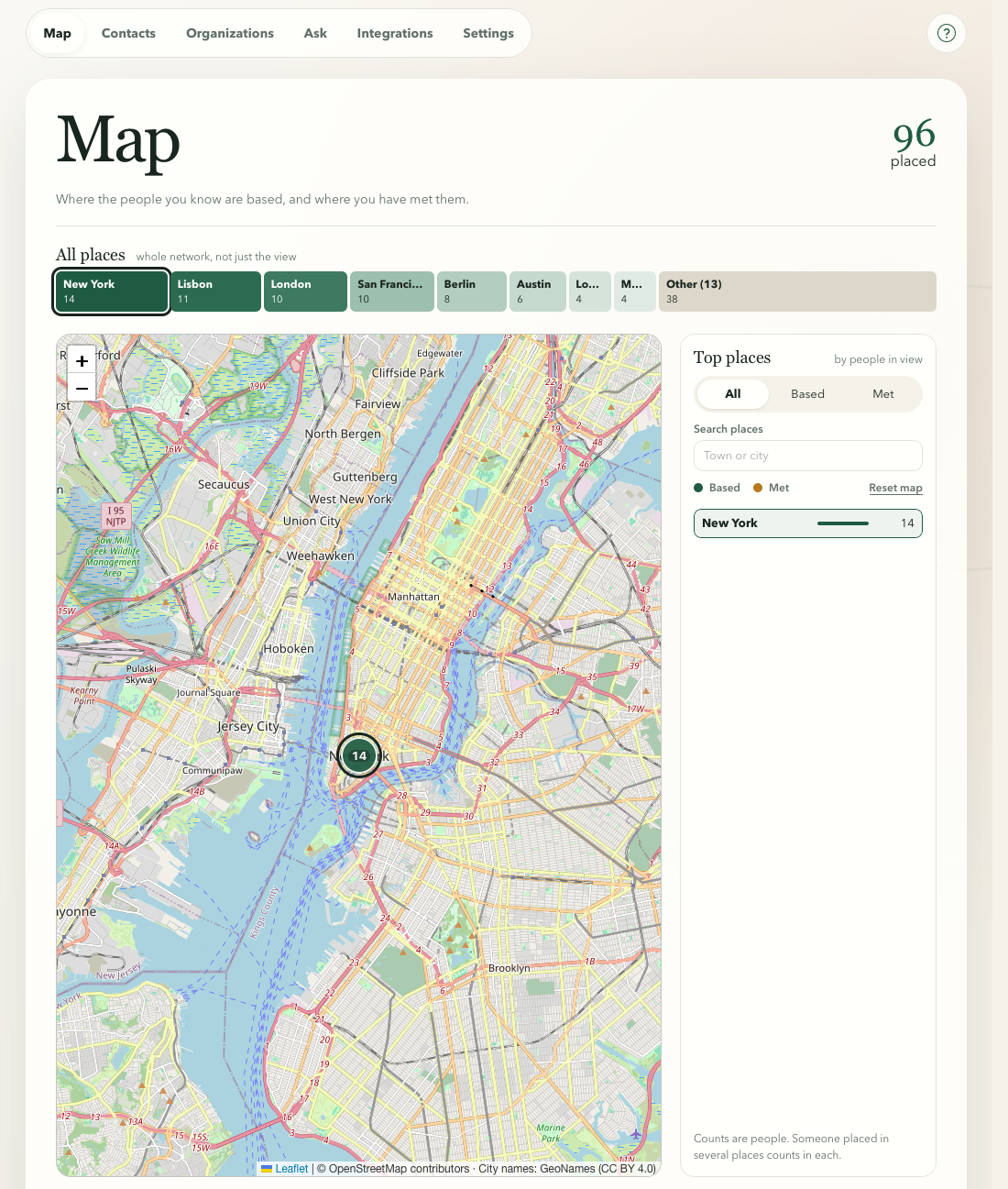
- Going somewhere? — searching “New York” shows Priya and 13 others. Sources: Calendar (New York), Your calendar: “Lunch with Priya and Lucia.”; iMessage (Work), Priya: “Booked us a table for 12:30 tomorrow. Lucia is joining too.”; Calendar (New York), Priya: “Dinner with portfolio founders and friends of the firm.”. Going somewhere? See who you know there.
- Next meeting — searching “Priya Raman” shows Priya Raman. Sources: Calendar (New York), Your calendar: “Coffee with Priya, Union Square, New York.”; iMessage (Work), Priya: “Still on for coffee this week? I'd like to hear where the raise has got to.”; iMessage (Work), You: “Yes, see you then. I'll bring the deck and an update on the two studios.”. Walk in knowing where you left it.

Your next trip.
A reason to reconnect.
See where your people are. Then bring the relationship back into view—not just a pin on a map.
New York becomes more than a week of pitches when you remember lunch in the Flatiron with Priya and Lucia from Quayside.



Your sources, on your terms.
Current and planned integrations. You choose what to connect.
Messages & email
 Gmail
 iMessage
 WhatsApp
 Google Voice
 Signal
 Slack
Planned
 Telegram
 Outlook
 Apple Mail
 Microsoft Teams
 Discord
 Messenger
+2 more planned Messages & email sourcesShow fewer planned Messages & email sources
Social & networks
 LinkedIn
 Instagram
Planned
 Facebook
 X (Twitter)
 Snapchat
 TikTok
 Bluesky
 Threads
+2 more planned Social & networks sourcesShow fewer planned Social & networks sources
Meetings & notes
 Granola
 Fathom
 Fireflies.ai
Planned
 Zoom
 Google Meet
 Otter.ai
 Avoma
 Plaud
 Notion
 Apple Notes
 Obsidian
+4 more planned Meetings & notes sourcesShow fewer planned Meetings & notes sources
Contacts, calendars & calls
 Google Contacts
 Apple Contacts
 Google Calendar
 FaceTime & calls
Planned
 Apple Calendar
CRMs & imports
 HubSpot
 Attio
Planned
 Salesforce
 Affinity
 CSV import
Don’t see yours? Request a source
Before the meeting,
see who’s in the room.
 Google Calendar · Fictional event
Design partners coffee, Flatiron, New York
 Tapestry · From your own records
4 people you know
Tapestry · Fictional personNadia Haddad · waiting on you
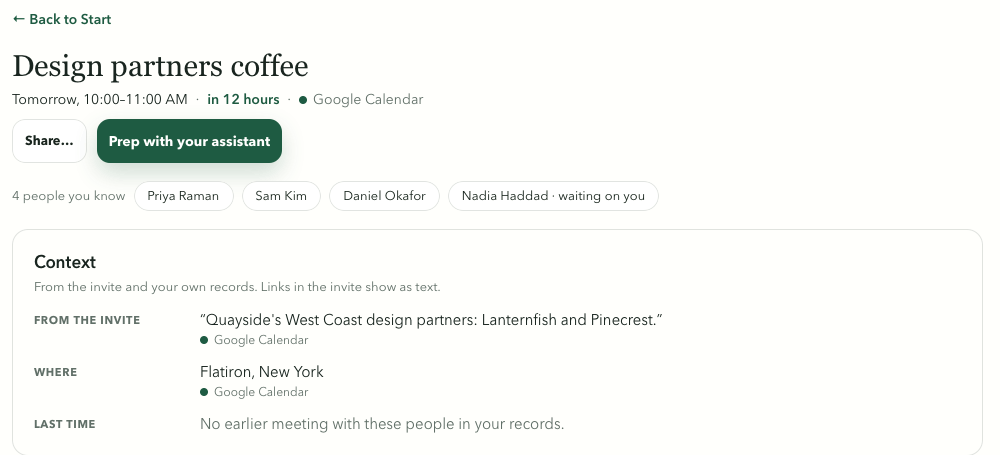
Tapestry’s meeting prep for Design partners coffee, tomorrow from 10:00 to 11:00 AM, from Google Calendar. It lists 4 people you know: Priya Raman, Sam Kim, Daniel Okafor, and Nadia Haddad, who is waiting on you. The Context box quotes the invite, “Quayside's West Coast design partners: Lanternfish and Pinecrest.”, gives the place as Flatiron, New York, and says there is no earlier meeting with these people in your records.
See the warm intro you already had.
The person, the firm and the email were already in your history.
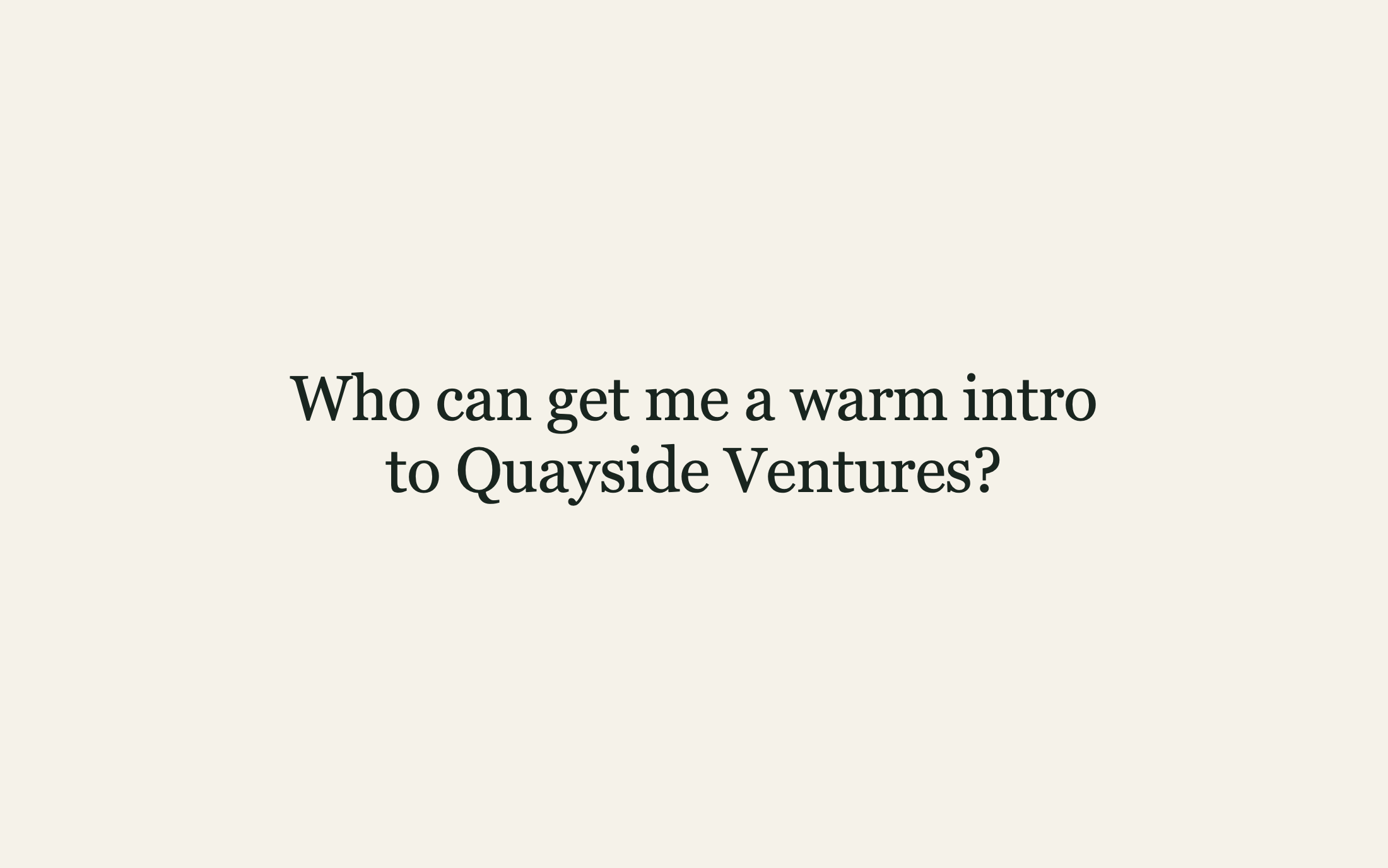
Actual Tapestry recording · Real time, one cut, no sound · Fictional people and places
- Opening card: “Who can get me a warm intro to Quayside Ventures?”
- Priya Raman’s Contact page: a principal at Quayside Ventures, on your Fundraising list. How often you talk and who joins your conversations. Then the Gmail thread “Design partners for the West Coast portfolio”, opened to its first line: “Priya mentioned you know design studios well.”
- Quayside Ventures’ Organization page: Priya is the one you’re most in touch with there, then the people you know at the firm, including partner Amara Obi.
- The Map: a zoom to New York and the people you know there, including Priya and Quayside colleagues Lucia Moretti and Nina Patel.
- End card: “Skip the cold email. You already know them.”
Private by design.
Get more from your relationships without handing over your private conversations. Your Tapestry account holds your email address, not your data, and unless you turn on Always-on, no Tapestry server stores your conversations or can read them. Your relationship memory lives on your device, not in someone else’s cloud.
Not on our servers.
Your Tapestry account holds your email address and sign-in records, not your data. Unless you turn on Always-on, no Tapestry server stores your relationship data or can read it, so none of it is on our servers to breach.
Read-only.
Tapestry reads only the sources you choose. It never sends, changes or deletes anything, and never speaks for you.
Works offline.
Your relationship memory lives in a folder on your device, so it’s there with or without a connection.
You decide what Claude can read.
Give Claude read-only access: everyone, or only people on the Lists you pick; only the channels and accounts you pick; never the conversations you rule out. Every read is listed in Tapestry: what was sent, when, and to which assistant.
Paste your target list into Claude and ask who can get you into each company. Tapestry answers for up to 100 at once.
Use the assistant you already have. You choose to connect it, and it sees only the results of the read-only tools it calls. Ask Claude or another assistant to prep you for a meeting with someone you know. Tapestry’s local MCP server gives it read-only access, off until you turn it on, and records every access on your device before anything is read.
Your device
Tapestry relationship memory
- People and organizations
- Context from your sources
- History, lists and notes
Stays on your device.
Read-only local MCP
AI tools you choose
Set up from Tapestry’s Ask page
Desktop apps and command-line tools that run local MCP servers.
 Claude
- Claude Code
 Codex
 Cursor
 VS Code with Copilot
- LM StudioStays on your Mac
 Gemini CLINot with a personal Google account
Not tested yet: Perplexity, Mistral Vibe, Windsurf, Raycast, Zed and Warp.
They can ask questions. They can’t change your data.
Anywhere, through remote access (preview)
Assistants on the web and on your phone, such as ChatGPT, which can’t reach a server on your computer. Remote access connects them while your Mac is on, awake and online, if your Claude or ChatGPT plan allows custom connectors.
A local server does not make every AI host local. A cloud-backed host may send retrieved context to its provider; choose the host and sharing boundary deliberately. Tools shown are examples of MCP-capable assistants, not partners; check each tool’s MCP support.
Planned
Who on your team can get you in?
Raising with co-founders, or working a deal with partners? Paste your target list into Claude, ChatGPT or HubSpot and see who across the team knows someone at each fund or company, and when they were last in touch. Every answer says whose relationship it is.
Each person sets the limit.
Everyone keeps their own Tapestry and chooses which Lists and organizations the team can ask about. By default the team sees who they know and when they were last in touch, never what was said.
Built from who you actually talk to.
Answers come from the people each of you texts, calls, emails and meets. LinkedIn and CRM data never go to the team.
Answers while their laptop is closed.
Team answers come from each person’s Always-on copy on our hosted service, so you can ask while a teammate’s Mac is asleep. Anyone can turn sharing off whenever they like.
Not available yet. Pricing and timing to be announced.
A few things
to know.
Access, sources, privacy and price.
How do I get access?
Tapestry is invite-only for now, and we open it to people in small groups. Request access to be considered. Mac first, with more platforms planned.
Which sources can I connect?
Gmail, Google Calendar, Google Contacts, Apple Contacts, iMessage, WhatsApp, Signal, Android texts (Experimental), FaceTime and phone calls, Google Voice exports, LinkedIn exports or profiles you capture, and Granola. You choose what to connect. We’re continually adding sources based on your feedback and the context they can add.
What stays local?
Your relationship memory is built and kept in a folder on your device. Your email, calendar and messaging services still hold their own records, and nothing goes to an AI assistant unless you turn that on.
Do I need an account?
Yes, a free one. You sign in once with a code we email you, and Tapestry opens offline after that. The account holds your email address and sign-in records, not your relationship data, and unless you turn on Always-on, no Tapestry server stores that data or can read it. We also email you product news, which you can turn off in Settings → Account.
How do I delete my data?
In Tapestry, open Settings → Data and choose Delete all Tapestry data on this device. It deletes your Tapestry folder, its settings and most of its sign-ins, and asks Google to revoke its access. Disconnect Slack, HubSpot and Attio first to remove theirs. Your relationship data lives on your device; unless you turn on Always-on, no Tapestry server stores it or can read it.
How is Tapestry different from ChatGPT or Claude memory?
Tapestry builds a memory of the people you know from your own email, calendar, messages and contacts, and keeps it on your device with each detail’s original source. An assistant’s memory personalizes its answers with context about you, stored by its provider. You can still give an assistant you choose read-only access to Tapestry.
Will it contact people for me?
No. You decide who to contact and what to share.
What will it cost?
The local version is free. We’ll announce any optional paid plans separately.
Can my co-founders or partners use it together?
That’s planned. Each of you keeps your own Tapestry, and together you’ll be able to ask who on the team knows someone at a fund or company, with each answer saying whose relationship it is. Each person chooses which Lists and organizations the team can ask about. By default the team sees who they know and when they were last in touch, never what was said. Team answers come from each person’s Always-on copy. Pricing and timing haven’t been announced.

Skip the cold email.
Check who you know first.
Get more from the relationships you already have.
Mac first. Free to use locally.